
Bill Calendar: Payday Planner for Android
See your spending room on the Android home screen
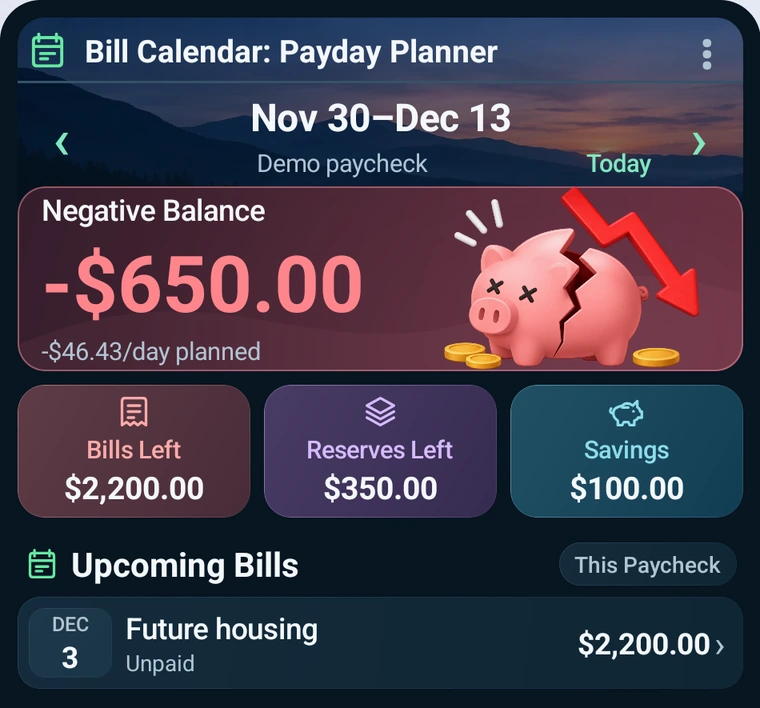
The Available to Spend widget follows the current paycheck. The larger Bill Calendar dashboard widget lets you browse other paychecks and inspect their bills.
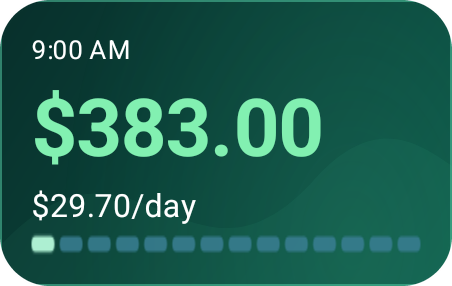
Choose the question you want on your home screen
For a quick check before buying something, add Available to Spend from your launcher's widget picker and choose your budget. With the amount visible, a tap opens Update Balances. Choose the dashboard widget if you want to inspect the next paycheck or open an upcoming bill.
Resize the widget using the controls your Android launcher provides. The amount of space, your text size and the launcher determine which details fit.
What the March 5 widget is telling you
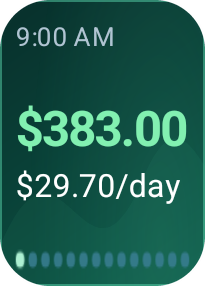
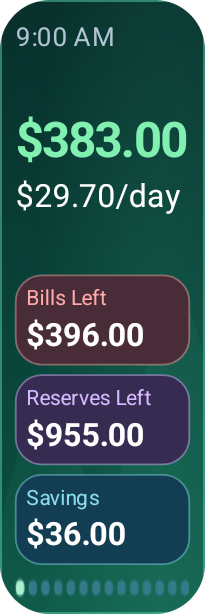
The household in this example confirmed its balance at 9:00 a.m. Its current-period widget shows $383.00 of spending room and $29.70 per day. A purchase made at 10:00 a.m. will be reflected when the household next enters a balance that includes it.
Daily Spending CalculatorWhat fits in each layout?
The three widgets below show the same paycheck in different amounts of home-screen space. The dashboard is a separate widget with controls for exploring another pay period.
| Placement | What to look for |
|---|---|
| Compact · one cell | The current available amount, with the pace where space allows |
| Wide · two cells across | A larger amount, daily pace, last observation time and period progress |
| Tall · two cells high | Available spending plus compact bills, reserves and savings figures |
Common questions
Can I hide financial amounts from people nearby?
Turn on Discreet Mode. On the current-period widget, the first tap briefly reveals the amounts. They hide again after ten seconds. While amounts are visible, tapping the widget opens Update Balances.
How do I tell whether the figure includes this morning's balance?
Look for the balance observation time. If your layout is too small to show enough context, open Paychecks to read the latest balance-update date and time. A shared household may also need to receive a partner's changes.
Does browsing next paycheck change my current spending allowance?
Browsing the dashboard changes which period you are looking at. The Available to Spend widget continues to follow the current paycheck. Use the dashboard's period controls to return to today.
Will my widget show my daily number without signal or a bank link?
Yes, when the local plan has enough information to calculate guidance. It reads the plan saved on the phone. Your next manual balance update, or a household update received after reconnection, can change the figure.