

Paycheck planning for Android
Know what you
can spend today.
Plan around payday, protect upcoming bills, and spend with confidence.
Coming soon to Android14-day trial One-time purchase No bank connection required
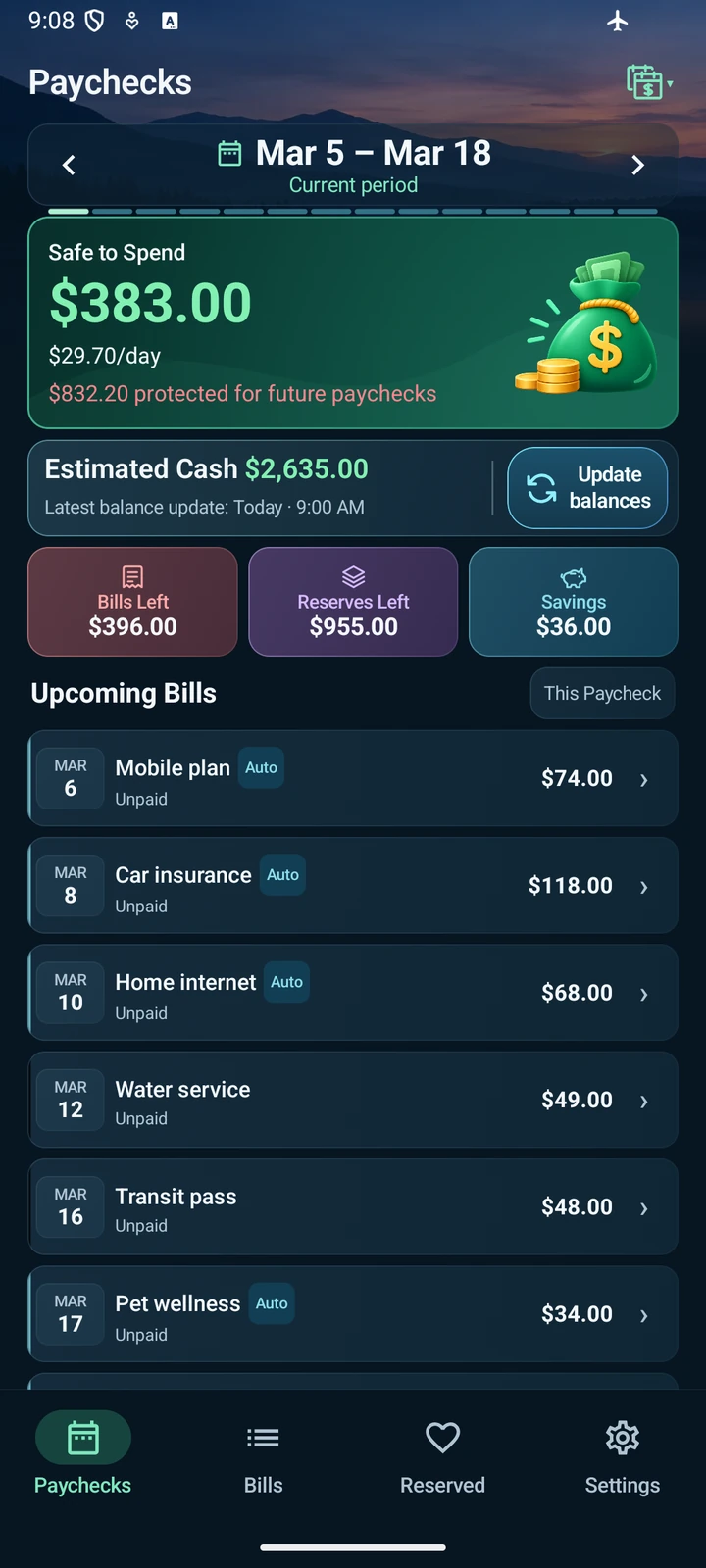
Between paydays
Some of your balance
is already spoken for.
Your bank balance includes the rent due Friday, this week’s groceries, and the money you meant to save. It’s a lot to subtract in a checkout line.
Sorting last week’s transactions can wait. Bill Calendar helps with the decision in front of you today.
How it works
Budget forward. Not backward.
Set your paydays.
Add your paycheck dates and confirm the cash you have today.
Protect your bills and goals.
Set money aside for bills, everyday essentials, and the things you’re saving for.
Know what you can spend.
See what’s available until payday and a daily pace for the days ahead.
What can I spend before Friday?
A transaction review can explain last month’s grocery bill. When you’re standing in the shop today, it helps to know what’s due before your next paycheck.
How to budget without logging every purchase| A transaction-focused routine | With Bill Calendar |
|---|---|
| Review where last month’s money went. | Plan what your cash needs to cover next. |
| Sort purchases into categories. | Update account balances and confirm which bills have cleared. |
| Set a budget for the calendar month. | Plan from one payday to the next. |
| Work out what’s left after upcoming bills. | See what’s available until payday and a recommended amount per day. |
Household Sync
Your household’s plan, on both phones.
Household Sync is included. Share balances, bills, reserves, savings goals, and spending guidance with your partner so you can both see what’s left.
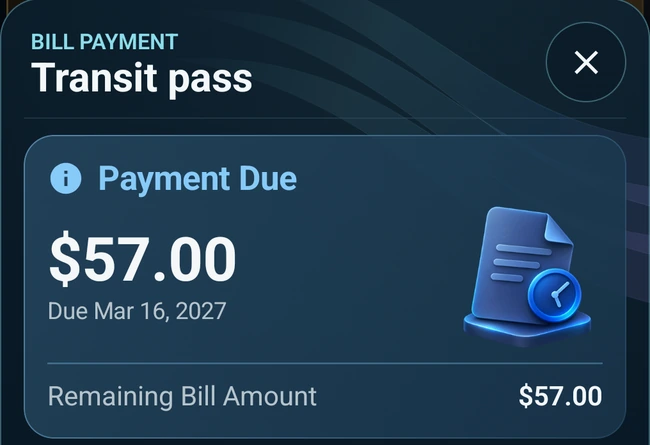
In this example, the monthly transit pass goes from $48 to $57. Your shared plan now needs another $9 for that bill. You can plan offline on your own phone and exchange household updates when both phones have internet access.
Watch the full product film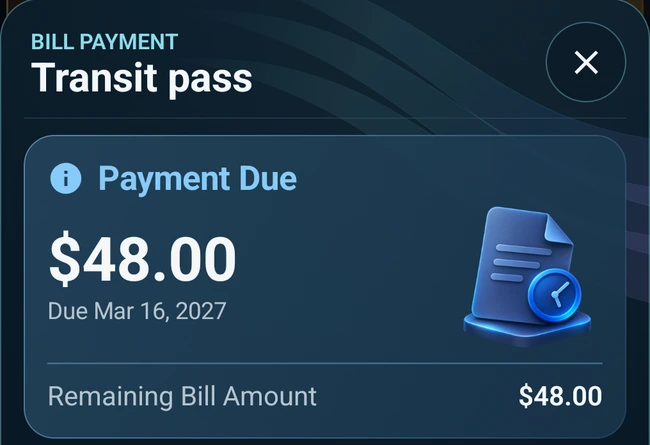
- Paycheck
- $2,300.00
- Bills, reserves & savings
- −$3,165.00
- Projected shortfall
- −$865.00
- Protected from earlier pay
- +$707.45
- Gap still to plan for
- $157.55
Future paycheck protection
See a tight payday coming.
Rent and the car payment land in the same period, leaving the March 19 paycheck $865.00 short. On March 11, the planner earmarks part of the earlier paycheck to help cover it.
This allocation changes how much the household can spend today. The money stays in its bank account until the household moves or spends it.
See the March 11 breakdown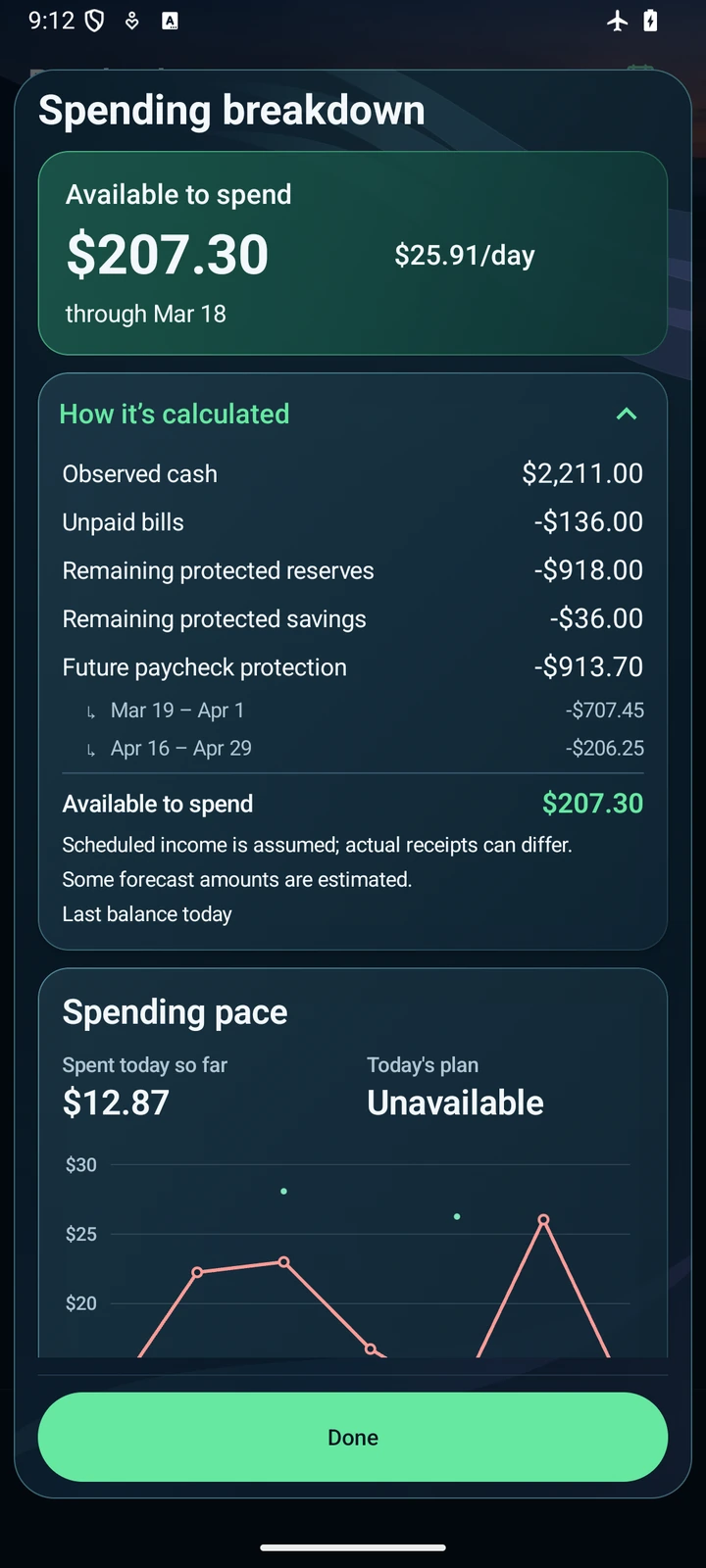
Free calculator
Find your daily spending number.
Start with the cash you have. Subtract unpaid bills and everything you want to protect, then divide what’s left by the days until payday.
Inside the March 11 example
The household has $2,211 and eight days until payday. Its $1,867.70 in protected money includes $918 for reserves, $36 for savings, and $913.70 held for later paychecks. Each dollar is counted once.
This simple estimate rounds daily spending down to the cent. The app also considers dated deposits, pending payments, and future paycheck needs.
See the full spending breakdownDaily Spending Calculator
Turn on JavaScript to try your own amounts.
Privacy & simplicity
You’re in charge of your numbers.
Check your accounts, enter the balances, and confirm which payments have cleared. You can plan on your own phone offline, without bank credentials or a cloud account.
Sharing a plan is your choice. When you use Household Sync, your phones need an internet connection to exchange updates.
The product film 4 min 6 sec
The $60 question.
Can a $60 pair of shoes fit before payday? Follow one household as they set aside bill money, check their spending widget, and use Household Sync to keep a changed bill up to date on both phones.
How is this different from a monthly budget?
Bill Calendar plans from one paycheck to the next. Start with your cash, protect the commitments it needs to cover, and see what’s left. An electric bill due tomorrow matters even if the whole month balances.
Do I have to connect my bank or log every purchase?
You enter the balances of the accounts you use for spending. Update them after a shopping trip or when a payment clears. You can record a bill or spending against a reserve, but everyday purchases don’t need individual categories.
Why can my daily pace differ from the calculator?
The calculator divides one remaining balance across the days you enter. The app also considers when income arrives, when bills are funded, pending payments, and money needed by future paychecks. A tighter day before your next deposit can change the guidance.
Which phones and widgets does the app support?
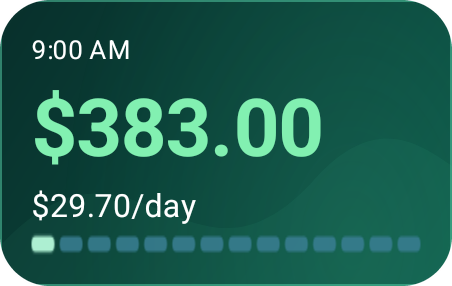
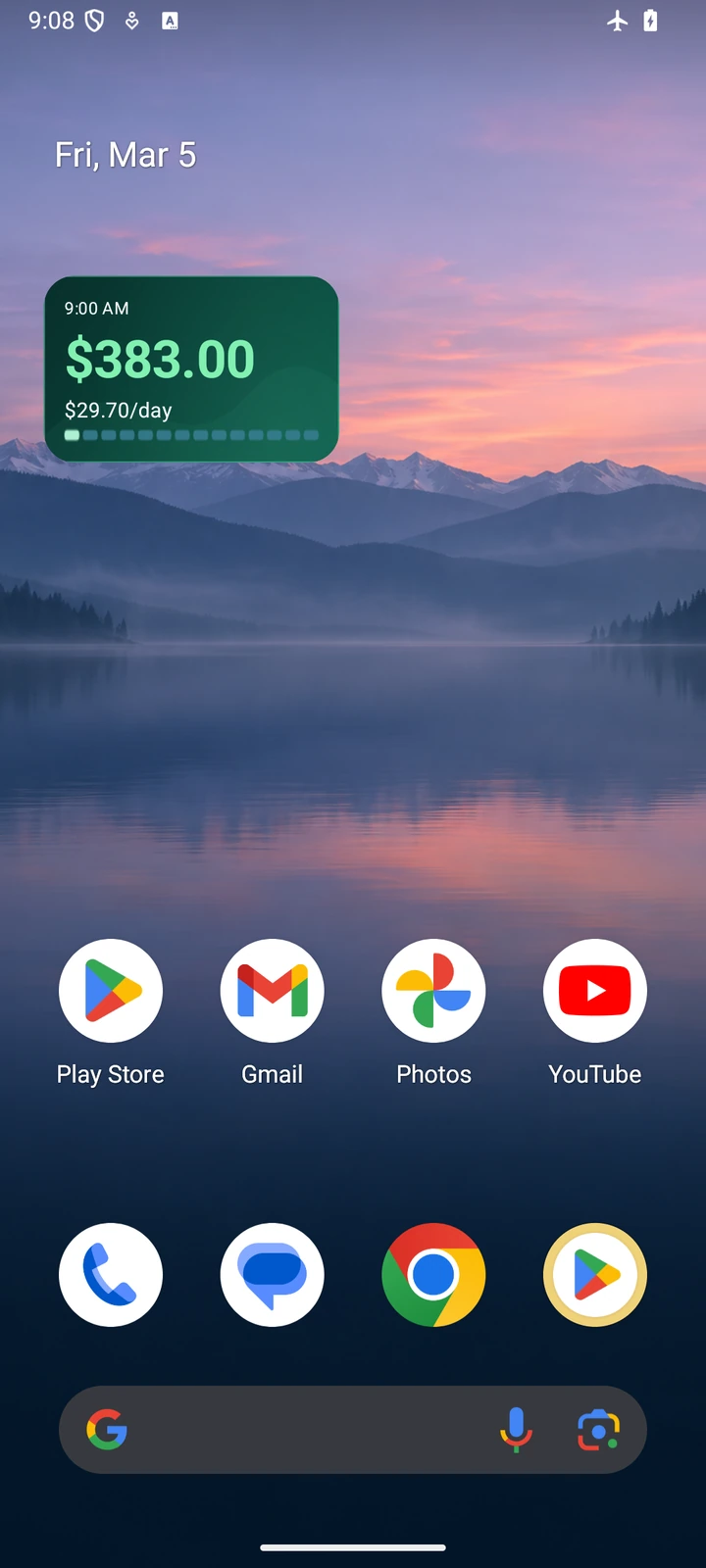
Bill Calendar is designed for Android. The resizable Available to Spend widget follows your current paycheck. The larger Bill Calendar dashboard widget lets you browse paychecks and inspect upcoming bills. The information shown depends on the space your launcher gives it.
How do the 14-day trial and one-time purchase work?
Try the Android planner free for 14 days. You can plan on your own phone without a payment card or sign-in. A one-time purchase unlocks continued editing. If the trial ends without a purchase, your saved plan remains available to view.
Can I use the app offline?
Yes. You can manage your paychecks, bills, reserves, savings goals, and spending guidance offline. No bank connection or internet connection is required for everyday financial planning.
Can my partner and I use the same plan?
Yes. Household Sync is included. When one of you updates a balance or changes a bill, the other sees the change after your Android phones exchange updates over the internet. You can also keep a personal plan on your own phone.